
Last week I wrote about my experience upgrading this site to Drupal 11 and why it was the upgrade experience I had been waiting for.
As part of that upgrade, I also moved my webform handling from Drupal core's Contact module to Webforms. The migration itself went smoothly, but while testing I noticed something that had probably been true for a long time: my site was sending plain text emails, and they didn't look particularly great.
That got me thinking about the Easy Email module. I've been aware of it for a while, and if you're interested in learning more about the project, I recommend checking out Talking Drupal Episode 437, where the maintainer discusses the module and its capabilities.
The only problem? I was feeling a little lazy and didn't really want to configure everything from scratch.
Then I discovered the Easy Email Express recipe.
The Easy Email Express recipe bundles together the modules and configuration needed to get started with Easy Email quickly. Since I've been trying to use Drupal Recipes whenever possible, this seemed like the perfect opportunity to give it a try.
I followed the Drupal documentation on downloading and applying recipes, and within a few minutes I was up and running.
The recipe installed all of the required modules and configured everything correctly. In my case, there was one additional step. I use Mailgun for transactional email delivery, so I needed to update my mail settings to ensure Mailgun remained the active sender. If you're curious about why I switched to Mailgun, I wrote about that in an earlier post.
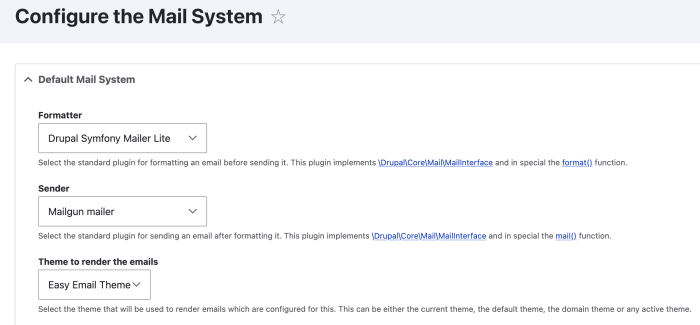
Once that was done, my site was sending HTML emails instead of plain text messages. Even better, the recipe installed the Easy Email Theme, which immediately gave my emails a much more polished appearance.
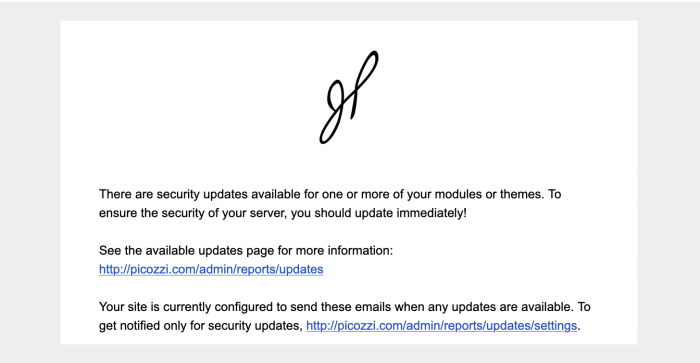
At that point, I thought I was done.
I was happily sending beautiful HTML emails until I checked one on my iPhone and saw this:
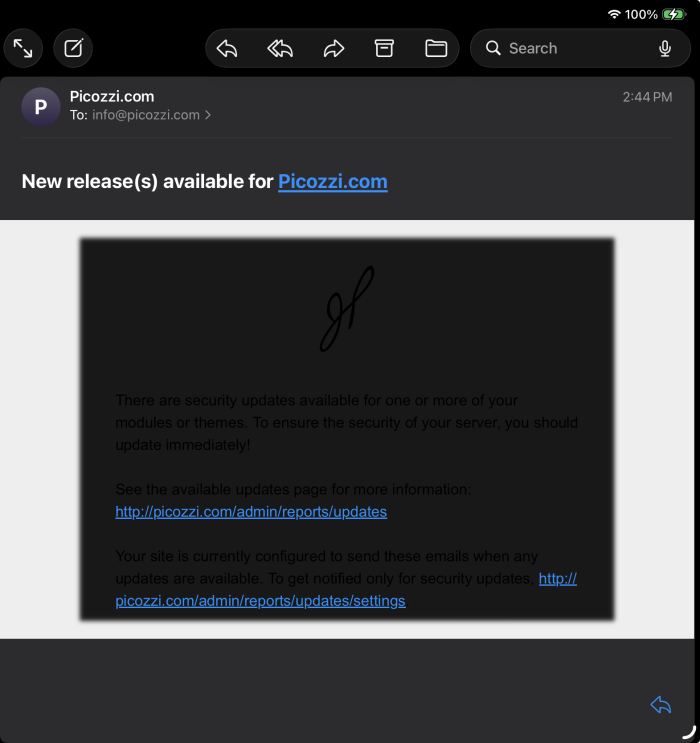
Not exactly what I was hoping for.
Fortunately, I found an issue in the Easy Email Theme issue queue that appeared to be related to the problem I was seeing. The issue is still being worked on, but the discussion has already helped narrow down what's happening, and I'm confident we'll get to a solution soon.
Despite that hiccup, my experience with Easy Email Express was overwhelmingly positive.
The recipe lived up to its name. It handled the heavy lifting, installed the necessary modules, applied sensible configuration, and had me sending branded HTML emails in a very short amount of time. My emails now include my site's logo and branding, and I have a solid foundation for further customization down the road.
From start to finish—including installation, testing, troubleshooting, and deployment—I probably spent about an hour getting everything set up.
That's a pretty good return on investment for significantly better-looking emails.


